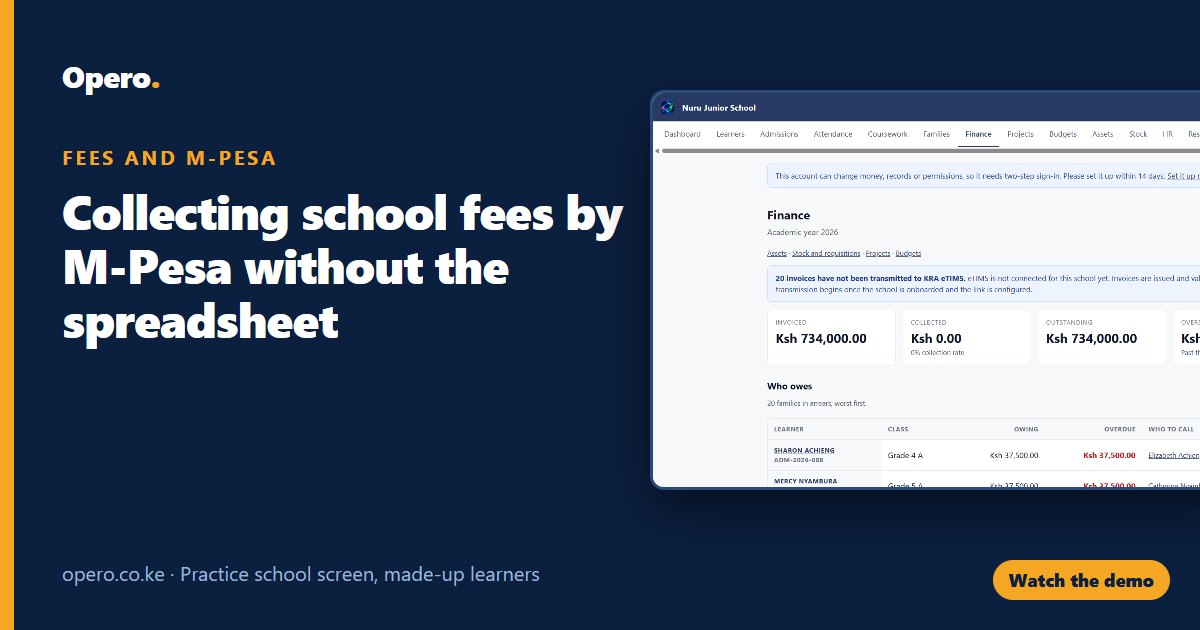
Collecting school fees by M-Pesa without the spreadsheet
The first three weeks of term are the bursar's hardest. Parents pay by M-Pesa, by bank, by cheque and in cash. Each payment arrives as a line of text or a row in a statement, and each has to land on the right child. When that is done in a spreadsheet, one typo credits the wrong family and one missed line leaves a parent chased for money already paid. This article walks through a better routine and says honestly which parts are live.
Why do spreadsheets break down for school fees?
A fee spreadsheet works for 60 learners. At 450 it fails in predictable ways:
- Two people edit it and one overwrites the other.
- A payment is entered twice because the SMS and the bank line looked different.
- Balances are wrong because a sibling discount or a late fee was applied by hand.
- Receipts are re-typed, so the numbers on the receipt and the ledger drift apart.
- Nobody can see history. Who changed this balance, and when?
None of this is carelessness. It is what a general tool does when asked to behave like an accounting ledger. If you are still at this stage, our guide to moving your school from Excel covers the switch.
What does a payment routine without a spreadsheet look like?
Think in five steps, from setup to statement.
- Define the fee structure once. Tuition, boarding, transport, activity fees, by class or programme.
- Raise invoices for the term. Each learner gets an invoice built from the structure, so the amounts come from one place.
- Record each payment against one learner. The payment is allocated to the oldest outstanding invoice first, so a parent paying KSh 20,000 clears the earliest balance before anything newer.
- Issue a receipt automatically. The receipt number, amount and date come from the same record as the ledger, so they cannot disagree.
- Give the parent a statement. Balance, payments and what is still due, on demand.
Payments are recorded once and never credited twice. That single rule removes the most common reconciliation dispute.
How does bank statement import work?
Kenyan banks give schools a CSV download from internet banking, not an API. Opero reads that file. It finds the date, narration and credit columns by name, so a statement from a different bank still works, and it refuses a file where it cannot find all three, rather than guessing.
Each credit line is matched to a learner by the admission number a parent wrote in the narration. The match is deliberately strict: "ADM 0042" matches learner 0042, but "42" does not, because dozens of families may have a 42 in their reference. Lines that cannot be matched with certainty are handed back to the bursar with the narration shown, instead of being credited to a guess.
Matched lines go through the same recording path as a counter payment, so they allocate oldest-first, print a receipt and cannot credit twice. For a longer treatment, see our post on reconciling bank statements for school fees.
What about M-Pesa itself?
Opero has an M-Pesa integration through Safaricom's Daraja service: it can send a payment prompt to a parent's phone (STK Push) and accept the confirmation Safaricom sends back, crediting the account only when that confirmation arrives. A payment is never treated as paid because a parent says so.
Here is the honest status as of 27 October 2026. The integration is built, but a school needs its own Paybill or Till details configured before it collects live. The per-school setup is being finished. Until then a school records M-Pesa payments at the counter or through bank statement import. Ask us for the current status when you request the demo. Our earlier post on automating fee collection with M-Pesa explains the Paybill route a school must set up with Safaricom.
What about late fees and payment plans?
Many families pay in instalments. A system should record a plan, show what is due and when, and apply late fees by the school's own rule, not an invented one. Opero supports payment plans and late fees as school-set rules, and applies them consistently. Our post on payment plans and late fees covers when to use them and when to waive them. Whether to charge a late fee at all is the school's decision. Opero does not impose one.
What does the fees add-on cost?
Fees and M-Pesa is an add-on to the base. The base is KSh 250 per learner per term. The fees add-on is flat: KSh 12,000 a term up to 300 learners, KSh 20,000 for 301 to 600, and KSh 30,000 above 600. For 450 learners that is KSh 112,500 plus KSh 20,000, or KSh 132,500 a term. Compare that with other systems in our 2026 price guide, and see the full card on the welcome page.
What is not covered yet?
Be clear on gaps before relying on any tool:
- KRA eTIMS invoicing is not built. See our post on eTIMS for schools for what schools should check with KRA.
- SMS and WhatsApp fee reminders are not switched on. The parent sees balances in the portal, and web push is available once deployed. A fee-reminder sender exists, but we leave when to nag about fees to the school.
- Live M-Pesa collection needs the school's own Paybill setup, as above.
- Opero does not give accounting or tax advice. Check treatment with your accountant.
What should a bursar check in the first week of a new system?
Whatever you choose, treat the first week as a test and keep your old record running in parallel.
- Check opening balances for ten families by hand, including at least one with siblings and one with a payment plan.
- Post one day's bank statement through the import and count the matched and unmatched lines. A high unmatched count usually means parents are not writing the admission number, which is a communication fix, not a software fault.
- Compare a receipt to the ledger line for three payments. The two should agree to the shilling.
- Print one statement and read it as a parent would. If you cannot explain it in a minute, the structure needs simplifying.
- Ask who can change a posted payment, and check that the change is recorded.
A system that survives a week of that scrutiny is one you can trust for a term. Tell parents early which reference to use when they pay, because the matching only works as well as the narration they write.
Frequently asked questions
Can Opero match M-Pesa payments to learners automatically? Opero is built to match a confirmed M-Pesa payment to one learner and to credit it once. Live collection needs the school's own Paybill or Till set up first, which is being finished. Counter payments and bank statement import work now.
How does bank statement import match payments? It matches each credit line to a learner by the admission number in the narration, exactly, and returns unmatched lines to the bursar rather than guessing.
What if a parent pays twice or pays the wrong amount? Each payment is recorded once and allocated oldest-first. Any amount left after all invoices are cleared is kept as unallocated and shown to the bursar. A wrong amount is visible on the statement for the bursar to resolve.
Does it replace my accountant? No. It keeps the fee ledger, receipts and statements. Your accountant still decides tax and accounting treatment.
How much does the fees module cost? The fees add-on is KSh 12,000, 20,000 or 30,000 a term depending on school size, on top of KSh 250 per learner per term for the base.
See it on a practice school. Watch the demo above, then ask for logins to NURU, a practice school with made-up learners. No real child is in it.
Sources: Opero capability review of 27 October 2026 (fees, bank import and Daraja code paths); the published price card of 27 October 2026. Written by the Opero team. Features marked as not live are not claimed.