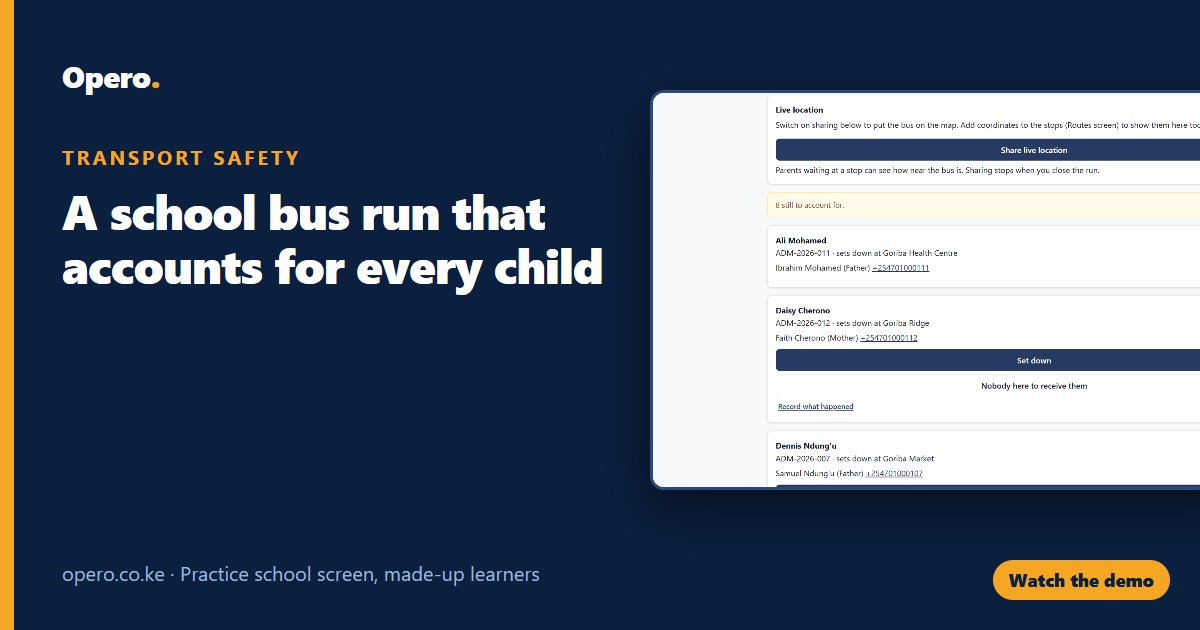
How a school bus run can account for every child: the parent confirmation workflow
Every transport manager knows the afternoon call: "My child has not come home." Sometimes the child went to a friend's house. Sometimes the bus took a different order. Sometimes nobody can say for sure, and that is the worst case. This article describes a simple workflow that makes "nobody can say for sure" much rarer, and explains which parts Opero does today and which it does not.
What does "accounting for every child" mean on a school bus?
It means that at any moment you can answer three questions for each child on a route: did they board, where were they set down, and did someone at home confirm they arrived. A paper register answers the first, if the conductor fills it. It rarely answers the other two.
The workflow below answers all three on the driver's phone and the parent's phone, and keeps a timestamped record the school can read later. For the wider picture of safe transport, see our earlier post on school bus safety in Kenya.
How does the bus run work step by step?
- Set up once. The school records its routes, stops and vehicles, and assigns learners to a route.
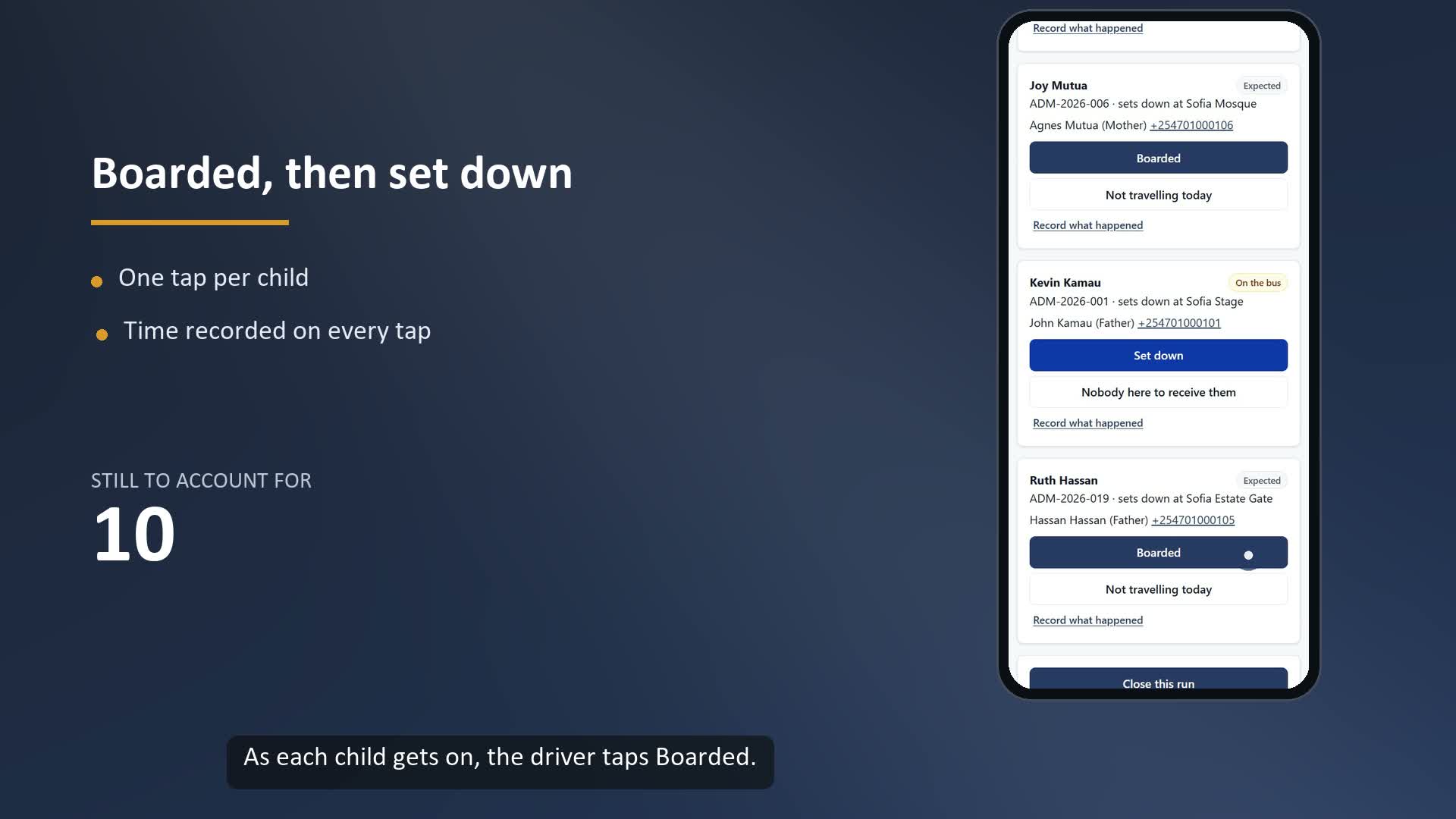
- The driver starts the trip. The phone shows a manifest: the learners expected on this run, in stop order.
- Boarding is recorded per learner. The driver or conductor marks each child as boarded, with a time. A child who is not travelling that day is marked so, rather than left as a gap.
- Drop-off is recorded per learner. At each stop the child is marked as set down. That moves the child to "awaiting guardian confirmation".
- The parent confirms arrival through the parent portal. The child's status closes only when someone at home says the child arrived.
- The trip closes. Opero refuses to close a trip while any learner is unaccounted for.
That sixth rule is the heart of it. A manifest that can be closed with children missing is just a nicer register.
What if a child is not accounted for?
Real life is messy. A child may be collected at the gate by a relative, or a parent may be slow to confirm. The system has to handle this without trapping the driver at the roadside.
In Opero the route closes only when every learner has an outcome. If one does not, there is an escalation ladder, and an authorised person can close the trip with an exception that needs a written reason. The reason, who recorded it and when are stored in the audit log. So the driver is never stuck, and the school can still see afterwards exactly who decided what.
This is the opposite of the usual failure, where the trip is simply never closed and nobody notices.
How does the parent confirmation help?
Drop-off is the moment a school stops watching and a family starts. The confirmation closes that gap. The parent portal shows that the child was set down, and the parent taps to say they arrived. If no confirmation comes, the school can see it and follow up the same afternoon, not the next morning.
A caution, because this is a safety topic: the confirmation tells you what a parent reports. It is a record and a prompt to act, not a guarantee. We do not claim Opero prevents any harm. We claim it makes gaps visible quickly.
How do parents get told?
Today the parent sees status inside the portal. Web push notifications (a message on the parent's phone lock screen) are built and become live once the latest release is deployed and set up; each parent opts in on their own device, and an iPhone needs the portal added to the home screen first. Our post on the parent portal and instant phone alerts covers it in detail.
SMS and WhatsApp alerts are not switched on yet. The code exists. The accounts and approvals do not. Until they are, treat portal and push as the channel and keep your existing phone-call routine for emergencies.
What does Opero not do on transport?
Be clear on this before you buy, from any vendor:
- No GPS hardware. Opero records trips and learner events. There is partial support for the driver's phone to send its position during a trip, but we do not promise a live map, and nothing is fitted to the bus.
- No verified "bus is back at school" event yet. We record boarding, drop-off and confirmation, not the vehicle's return.
- No configurable expected-return window yet.
- Parent alerts at drop-off depend on push being switched on, as above.
Fleet records, such as inspections, insurance and fuel, are a separate topic, which our post on school transport zone fees touches on from the billing side.
What does the transport add-on cost?
Transport safety is an add-on. For a school of 301 to 600 learners it is KSh 18,000 a term, flat, on top of the base of KSh 250 per learner per term. For up to 300 learners it is KSh 10,000, and for over 600 it is KSh 28,000. For a 450-learner school that is KSh 112,500 base plus KSh 18,000, or KSh 130,500 a term. The full card is on the welcome page, and the cost of every option is set out in our 2026 guide to school management systems.
Who sees what during a run?
A good workflow gives each person only what they need.
- The driver sees the manifest for the run: who to expect, in stop order, and a simple way to mark boarding and drop-off. A driver should not have to navigate a complicated screen while parked at a stop with children waiting.
- The transport manager and the office see the whole picture: which runs are open, which have exceptions, and which learners are still awaiting a guardian's confirmation.
- The guardian sees only their own child's status and the confirmation button. Another family's child is never visible to them.
- The head or administrator can read the audit trail afterwards: who recorded an exception, with what reason, and at what time.
When a run is escalated, the alert goes to the transport manager and the administrator, marked urgent, so it is not held back by quiet hours. The point is that a missing child becomes someone's job within minutes, not a rumour at the gate the next morning.
How do you start without disrupting the school?
Pick one route, one driver and one week. Run the paper register and the phone manifest side by side, and compare them at the end of each day. Fix the stop order, the learner list and the phone habits first. Add routes only once the first one runs cleanly. Tell parents what the confirmation button is for before the first run, so the first message they see is not a surprise.
Frequently asked questions
Is Opero a school bus tracking system? Not in the GPS-hardware sense. Opero records boarding, drop-off and parent confirmation for each learner. It has partial support for sharing the driver's phone position, but no live-map promise and no tracker you fit to the vehicle.
What happens if a parent does not confirm? The learner stays marked as awaiting confirmation, the trip cannot close normally, and the school can follow up. An authorised person can close it with a written reason, which is audited.
Do parents get an SMS when their child is dropped off? Not yet. SMS and WhatsApp are not switched on. Web push is built and goes live once deployed and set up, and parents must opt in on their own phone.
Can the driver be trapped by the rule that the trip cannot close? No. There is an escalation ladder, and an authorised exception with a recorded reason is allowed.
How much does it cost? Transport safety is a flat add-on: KSh 10,000, 18,000 or 28,000 a term depending on school size, on top of KSh 250 per learner per term for the base.
See it on a practice school. Watch the demo above, then ask for logins to NURU, a practice school with made-up learners. No real child is in it.
Sources: Opero capability review of 27 October 2026 and the published price card of 27 October 2026. Written by the Opero team. Features marked as not live are not claimed.