Keep your current school system and add only payroll or transport: what you gain and what you must do twice
Many schools tell us the same thing: "We already pay for a system. It does fees well. We just need payroll sorted, or the bus." That is a fair position. Moving everything is a big job, and a school should not do it to fix one gap. This article says what the add-on route gives you, what it costs on our price card, and the extra work it creates, so you can decide with the facts.
When does adding one module make sense?
It makes sense when three things are true. Your present system does the main work well, such as fees and report cards. The missing piece is one job that is clear and separate, such as running payroll with a proper approval step or recording who boards the bus. And your office can bear one extra list to look after.
It does not make sense if your present system is the reason for your trouble. If fees do not match or report cards are late, adding a payroll module will not fix that. In that case read the two-week plan for switching in the long holiday.
What does each add-on do?
| Add-on | What it does | What it does not do |
|---|---|---|
| HR and Payroll | Staff records, leave, salary structures and payroll runs. One person prepares a payroll run and another approves it | It does not supply tax rates. Your school enters and confirms its own PAYE bands, NSSF, SHIF and housing levy |
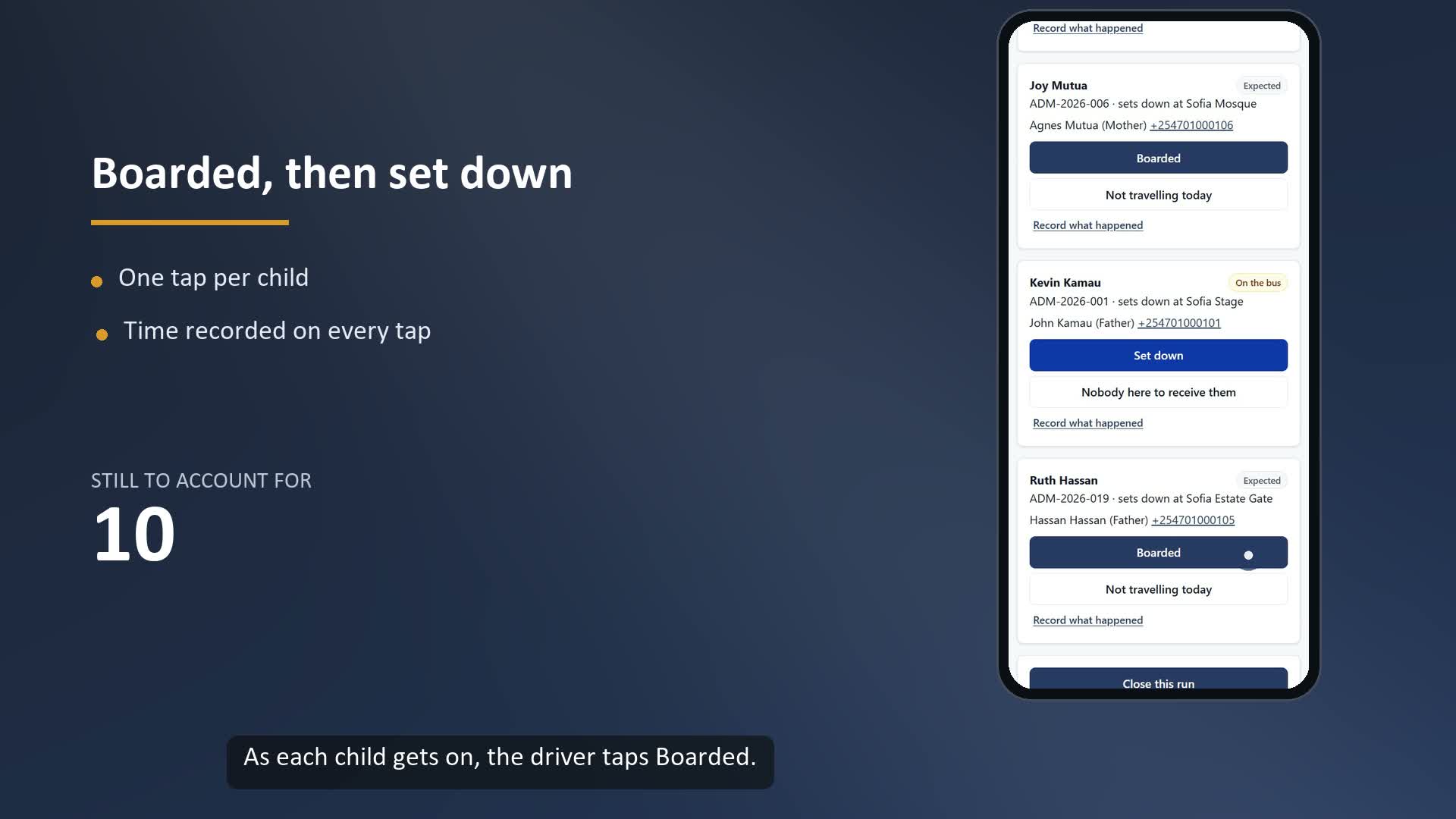
| Transport safety | Routes, stops and vehicles. The driver records boarding and drop-off for each learner. A guardian confirms arrival in the parent portal. A trip cannot close while a learner is unaccounted for, unless an authorised person records a reason | It does not track the bus live. It does not promise safety. It records who was on the bus and who confirmed arrival |
For the payroll controls in detail, read who prepares school payroll and who approves it. For the bus, read the school bus register.
What must you enter twice?
This is the honest cost. Opero does not connect to any other school system. There is no automatic sync. So:
- You load your learners into Opero once from a spreadsheet. Opero provides a free learner template and checks the file before it saves anything.
- When a child joins, leaves or changes class, the office updates both systems.
- For transport, the guardians must be in Opero too, with correct phone numbers, because a parent signs in with the phone number to confirm arrival. Read cleaning guardian phone numbers first.
- For payroll, you load your staff once. The two systems need not share staff, but your payroll officer must keep Opero current when someone joins or leaves.
Decide who owns the rule. One person should be named as keeper of the learner list, and the other system is updated from it. If the two lists ever disagree, the keeper's list wins. Without that rule, the office will argue about it at the worst moment.
What does it cost?
These add-on fees are on the Opero price card. They are flat per term and depend on the size of the school. They are not charged per learner.
| Add-on, per term | Up to 300 learners | 301 to 600 learners | 600+ learners |
|---|---|---|---|
| HR and Payroll | KSh 8,000 | KSh 15,000 | KSh 22,000 |
| Transport safety | KSh 10,000 | KSh 18,000 | KSh 28,000 |
The card sells add-ons on top of the main system, which is KSh 250 per learner per term. We have not published a price for an add-on on its own. We give you one in writing before you decide, and we do not promise it is lower. Also ask what setup fee applies to your school, in the same written quote. Billing is per term, in week 3 of the term. No discount and no free trial applies.
What questions should you ask first?
- Who will keep the learner list, and who updates the second system?
- How many staff or riders are there, and how often do they change?
- What does your present system's contract say about notice and renewal? Ask the vendor, and take advice from your own advocate on anything legal.
- Is the real problem the module, or is it the present system?
- If we later move everything, which records come across? Opero agrees the scope of moving old records in writing before work starts. See the switching page.
When should you move everything instead?
If the office is already tired of entering the same learner in two places, adding a third job to the list will make it worse. A school that spends more time copying than using the records is a school that should switch. The switching page shows the day-by-day plan.
Frequently asked questions
Can I use Opero for payroll only? Yes. Opero's HR and Payroll module can be added to a school that keeps another system for fees and learners. We quote the add-on in writing.
Can I use Opero for transport only? Yes, with the same limits. Your learners and their guardians are loaded into Opero, and the driver uses Opero for each run. It records boarding, drop-off and guardian confirmation. It is not live tracking.
Will Opero connect to my present system? Not today. There is no automatic sync. You load learners once and keep both lists current by hand.
Does the flat fee change with the number of learners? The fee changes by size band: up to 300, 301 to 600, and 600 or more. Inside a band it does not change.
Who sets the tax rates for payroll? Your school does. Opero will not run payroll until your school has entered and confirmed its own rates.
Next step: See Opero's price and Ask for a demo.
Sources: Opero's public price card and its page for schools keeping their present system (opero.co.ke/welcome and opero.co.ke/sidecar), read on 19 November 2026, and Opero's own product code, checked on 19 November 2026. No outside law, competitor claim or statistic is quoted. Written by the Opero team.