The school bus register: how to record who boarded and who was dropped, every run
When a parent asks, "Did my child get home?" the school needs an answer that is better than "the driver says so." A register gives you that answer, whether it is kept on paper or in a system. This article describes what a bus register should contain, how to run it each day, and what to do when something does not add up.
What should a bus register record?
For each run, in the morning and in the afternoon, a register should hold the same few facts.
- The route, the vehicle and the driver, with the date and the direction of the run.
- The expected list. This is every child who is meant to be on the bus, written before anyone boards.
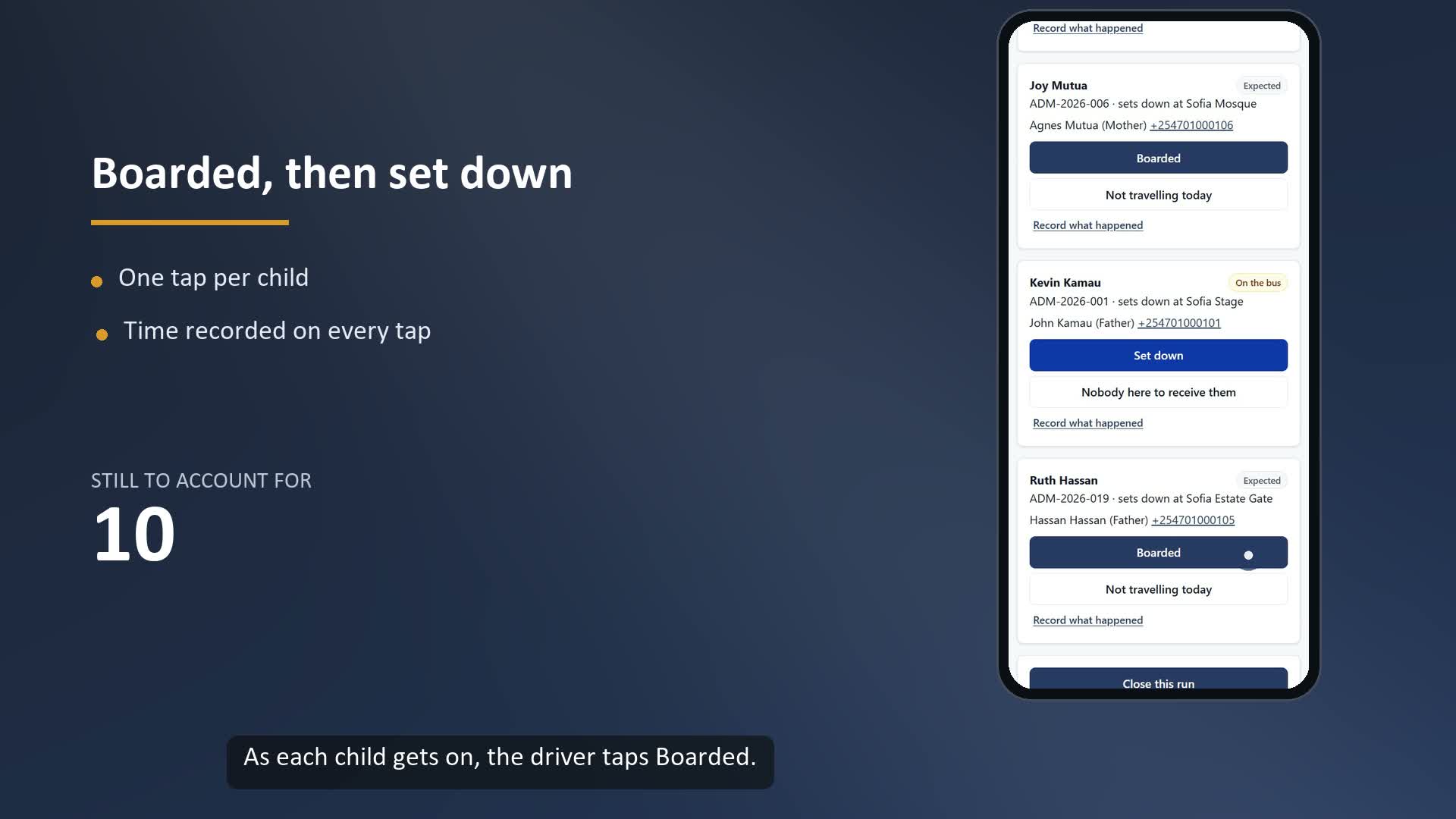
- Boarding. Who got on, and when, confirmed by the driver or the bus attendant.
- Drop-off. Who got off, where, and when.
- Absent children. A child who did not travel is not a failure. It must still be recorded, so nobody asks later where the child was.
- Exceptions. Any time something happened outside the normal routine, for example a different adult collecting a child, with the reason and who approved it.
The expected list matters most. If the list is made as children board, a child who was never counted simply does not appear. Fix the list first.
Why is a list written before boarding better?
It turns "who is missing?" into a question with an answer. Every name on the list must end the run in one of three states: dropped, absent, or covered by a recorded exception. A name that is still "boarded" at the end of the run is the most serious state a register can hold: a child got on and was never recorded getting off.
What does a good routine look like?
| Step | Who | What is recorded |
|---|---|---|
| 1. Before the run | Transport manager | The route, vehicle, driver and the list of expected children |
| 2. At each pickup | Driver or attendant | The child is marked boarded, with the time |
| 3. A child does not travel | Driver | The child is marked absent, with a short note |
| 4. At each drop-off | Driver or attendant | The child is marked dropped, with the time |
| 5. Guardian confirms | Parent or guardian | A confirmation that the child arrived |
| 6. Closing the run | Driver | The run is closed only when no child is unaccounted for |
| 7. Exceptions | Driver, then a manager | A reason, a name and the time for anything unusual |
What happens when a child is not accounted for?
Do not close the run. Work up a short ladder of people to call: first the guardian, then the alternate guardian, then the transport manager, then the school administrator. Write down who was reached and when. If a guardian's phone is off, the driver must not be stuck on the roadside with a bus full of children, so there must also be a way to close the run with an exception. The rule is that such an exception is always possible, always attributed to a person, and always visible later.
Three situations a driver may record alone: a child who was absent, a guardian who cannot be reached, and an emergency. Anything that hands a child to a different adult, or overrides the normal process, should need a person with authority.
How does Opero keep the register?
Opero's Transport safety add-on follows this routine. These are the parts we have checked in the product's own code.
- The expected list is fixed first. When a trip starts, Opero builds the manifest, so the set of children is set before anyone boards.
- Boarding and drop-off are recorded per child, with who confirmed it and when. A child cannot be dropped off unless first confirmed on the bus. If a child did not travel, the driver marks them absent instead.
- The guardian confirms arrival in the parent portal. After a drop-off the child waits for the guardian's confirmation, and only a guardian linked to that child can give it.
- A run cannot be closed while a child is unaccounted for. The driver can still close it with an authorised exception that carries a reason of at least five characters. Every one is saved to the audit trail.
- The escalation ladder follows the order above: guardian, alternate guardian, transport manager, school administrator.
- Morning pickup and afternoon drop-off are separate runs.
What does Opero not do on transport?
Say this plainly to parents, because they will ask. Opero strengthens accountability. It does not promise safety, and it is not a tracking device. Alerts to parents' phones by SMS or WhatsApp are not live yet, so today a parent opens the parent portal to see a notice and confirm arrival. This is why handing out parent logins matters. Opero also needs an internet connection.
How do I start without disrupting the school?
- Write the expected list for one route on paper, today, and run it for a week.
- Note the days it was hard to complete, and why.
- Decide who may record exceptions, and who is called, in order.
- Only then decide whether a system would help. If you have several routes and a driver who changes often, it probably will.
The Transport safety add-on costs KSh 10,000, KSh 18,000 or KSh 28,000 per term by school size, on top of the base KSh 250 per learner. For a school of 600 learners, base plus Transport is KSh 168,000 a term. If you want to see a run from start to finish, watch the demo above or ask for logins to the NURU practice school, where every learner is made up.
Frequently asked questions
What is a school bus register? It is the record, for each run, of who was expected, who boarded, who was dropped or absent, who confirmed it and when.
Is a paper bus register enough? It can be, if the list is written before boarding, every name ends in a recorded state, and exceptions carry a reason and a name. A system makes this harder to skip.
Can a driver close a run with a child still on the bus? Not normally. Opero refuses to close a run while a child is unaccounted for, unless an authorised exception is recorded with a reason.
Does Opero track the bus by GPS? Opero records boarding, drop-off and the guardian's confirmation. It is not a tracking device, and we do not promise safety.
Who sees the register? The school's transport staff see the runs. A parent sees only their own child.
Next step: See Opero's price and Ask for a demo. For the step-by-step view of a run, read how a bus run accounts for every child.
Sources: Opero's published price card at opero.co.ke/welcome, checked 16 November 2026. The transport behaviour described was checked against Opero's own code on 16 November 2026. Written by the Opero team.